Monday, October 16, 2017

Inktober.... The Art Christmas


Inktober is  upon us... actually I am a little late to talk about it. I had the best intentions of writing about it sooner but.... alas.

Any who! Inktober is great for artists to be on high alert for new art coming out on social media. It super great to see the way artists interpret the prompts, and for those who love a certain artist, you get to see new work come out every day... if they can keep up with the art load.

I personally fell a little behind, but I like to keep participating.

This year I offered extra credit for students who participate in Inktober. Usually the students who do this, really don't need the extra credit, but also benefit the most from the artist community connection.


Sunday, October 8, 2017

Zentangles and Digital Drawing and Painting


I decided to stop starting my blog posts with so.....

One of my classes is digital drawing and painting.... this post is about them.

So Digital drawing can be hard to get into, while we do have digital sketch pads to aid in the transition, so the studnet dont have to draw with a mouse, it is still hard to train the eye to draw pretty much through a mirror.

So for our fist project we did a zentangle coloring book page.

Art Standards:
- Student will learn how to use different typesd of drawing mediums.
- Student will learn about a style of drawing relevent to their time.
- STudent will refelct on their project and give advice to eah other on their projects.

Technology Standards:
Student will troubleshoot and learn how to use state of art technology and software.


Steps:

1. Select an image (must be a photo)to draw of trace in the program.
   - Now I know when you hear the word trace alarms go off in your head, but you have to understand how difficult it is to train your brain to use a electronic sketch pad vs drawing on paper. It pretty much learning to draw from scratch all over again. This first lesson is to sync up the student hand eye movement to what they draw in the program.

2. Copy image or sketch

3. Trace image

4. Section off the animal

5. Choose a variety of zentangles and fill in your sections with a variety of patterns and lines.
- Here is an example of some of the zentangles out there.


6. Sign it

7. Turn it in and critique

For the critique, I usually have them talk about what the experience was like, what advice they would give others, what they thought was easy and hard, as well as any other comments they would like to share.

So without further ado, lets look at some art!!


Weren't these Great!!

Remember: I post things 3 to 4 times a week, so follow the blog to keep up with other cool and exciting lessons and projects.

Wednesday, October 4, 2017

AP Digital Art first few weeks

Helloooooooo Everyone

I hope the universe is finding you in good health. Let talk about art... my personal favorite topic...

Today the class in the we are gonna look at is AP Digital Art. Let us begin!

Advanced Placement in 2D digital design. This is the first year I will be teaching this class. Students are only allowed to take this class if they have already complete Digital Art I and II. The reason for this: This is an incredibly independent class, so they need to be able to figure out a complex idea and put it together in an image with little to no assistance from me.

Well we are now in the 5th week of school, and I wanted to share a little of the first projects that are coming in.

Before we look at the work I want to talk about the expectations and work load.

Week 1: We figured out what kind of concentration for their portfolio would work the best for them.
- They researched artists, and styles.
- They filled out a proposal for their plan for the year.
- They created a powerpoint referencing what they were going to try to model their work after.

Week 2: Hitting the pavement

- They starting working on gathering images and going on photoshoots.
During this time a few proposals were fleshed out and the students were able to figure out what they were going actually be able to do.

Each week the students are expected to turn in at least one project, or they can turn in 5 images every 2 weeks.
- The reason for this is, if a student is creating a work of digital art or painting it usually takes them a full week, where if they are doing a photoshoot it might take them a week just to get the photos they need and then a week to sort and edit their final images, however after they are done with the shoot they should have more than just one image to show for it in the end.

So now that you know our jam....

LETS LOOK AT AAAAARRRRRTTTTTT


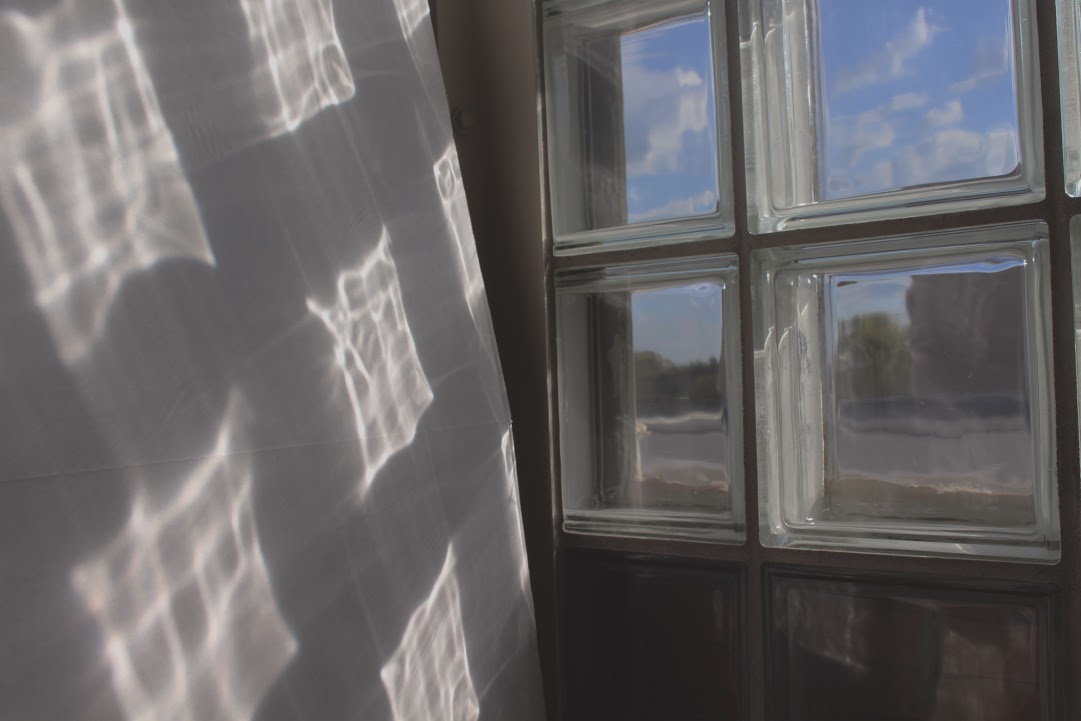
This student is all about an image through some thing. Light through glass, shoot through a crack, shoot through water.


This students work is all about color pop.


This student plans to take portraitures all revolving around the color yellow.


This student has got his work cut out for him. He is planning on teaching himself how to use Blender and create 3D models.


This student is going work on movement, but for his first project he decided to just get used to the camera again. I really liked this picture though sooooo I still wanted to show it.


This student is focusing on Holidays


This students concentration is on literature.

Monday, September 11, 2017

Digital Drawing and Painting

I decided to offer a new class called "Digital Drawing and Painting". Which is exactly what it sounds like. I do not know of any other school that offers this class, outside of a college classroom. I would love to be proven wrong, because frankly I would give anything for a little advise or feedback from other teachers trying this out on the high school level. 

To start us out, I gave the students a worksheet. This is to see what their skill levels are in the classroom, and it will also help me to see which students can just start drawing at the drop of a hat, and which ones need some time to process all the information and need to research references. 

Many of the students in my class have never used an electronic sketch pad before, nor have they use a digital art program. This worksheet helps them get used to downloading, saving, and working with the tools in the program (Fire Alpaca, I will be doing a whole post with software as the main focus) 

If you want a copy of the file, you are free to drag and drop it from this post. 


Here were a few of my student examples. Let me know what you think in the comments. 


Sunday, September 10, 2017

Chimeras in PhotoShop

This is a project that I believe teaches PhotoShop at its most PhotoShopy-est.

This is a lesson I do with my 7th graders, to help them start thinking about how to effectively mix photos. When we first start out at the beginning of the year I just show them all the tolls they can use, and those photoshop creation end up looking a little like the internet threw up all over the assignments.

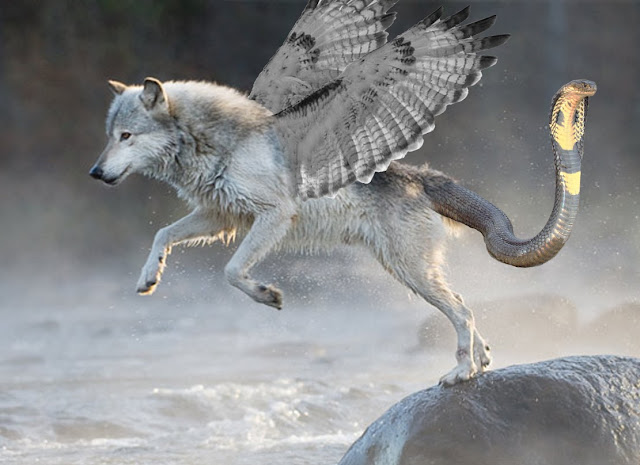
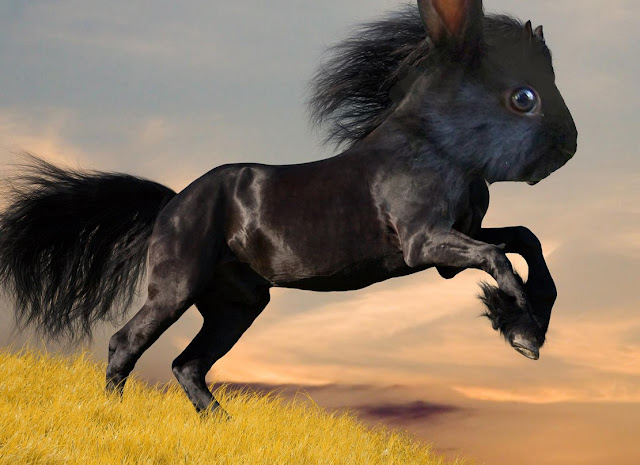
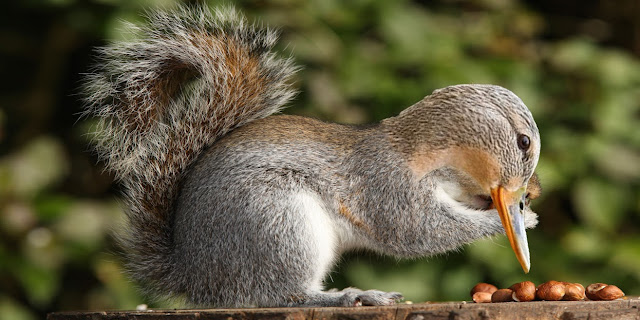
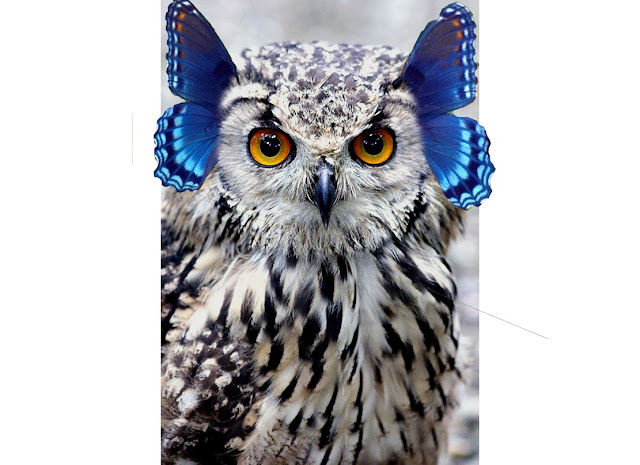
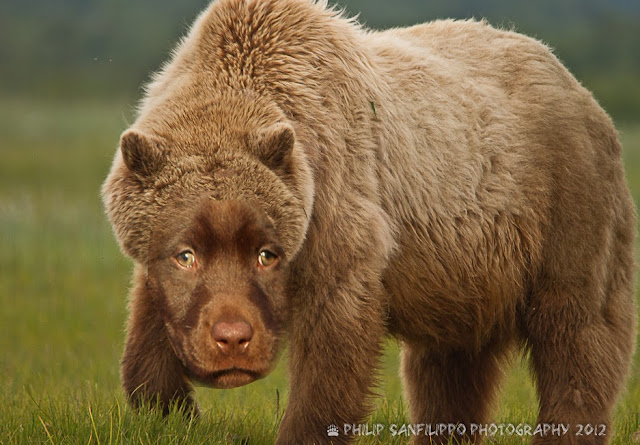
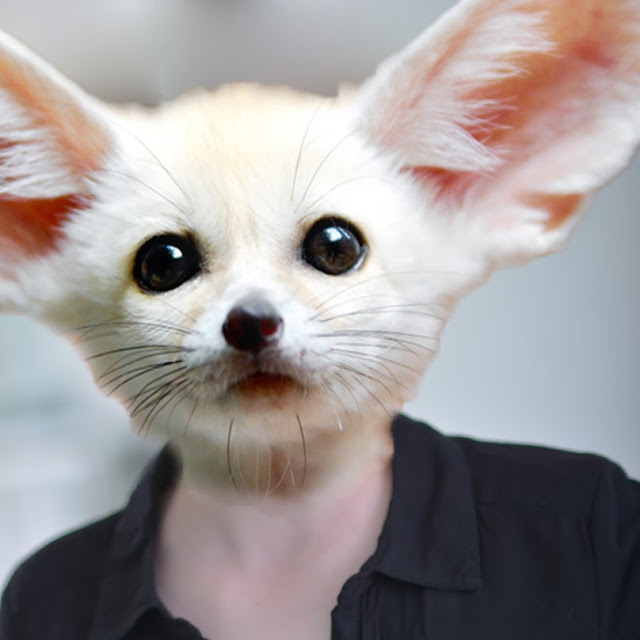
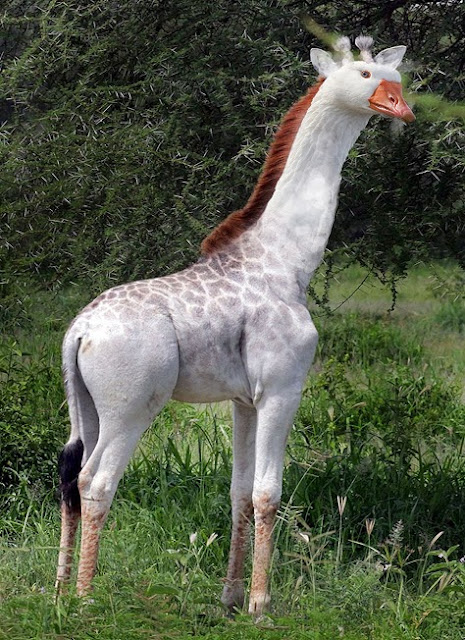
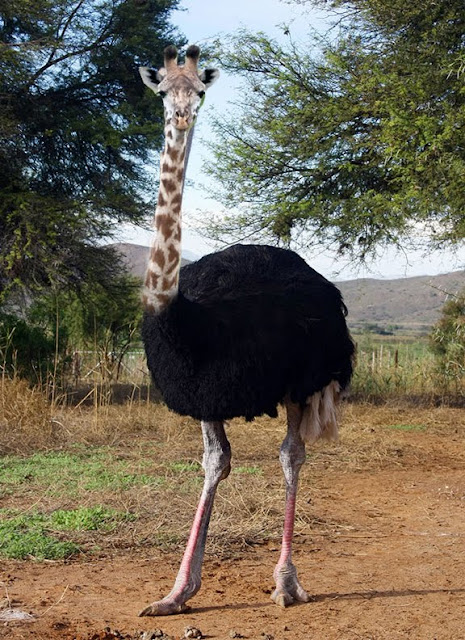
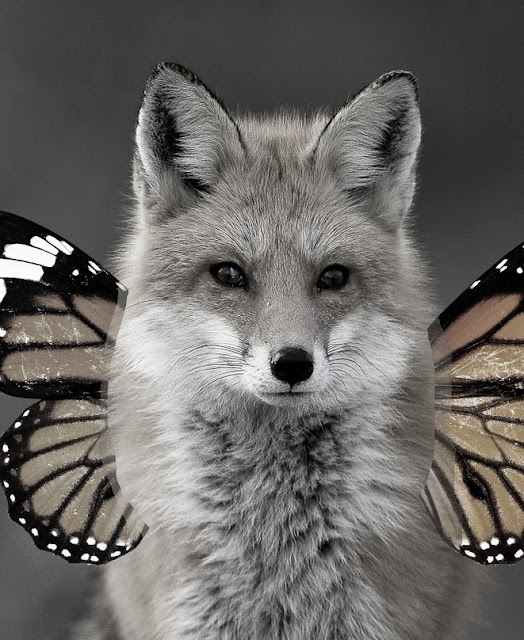
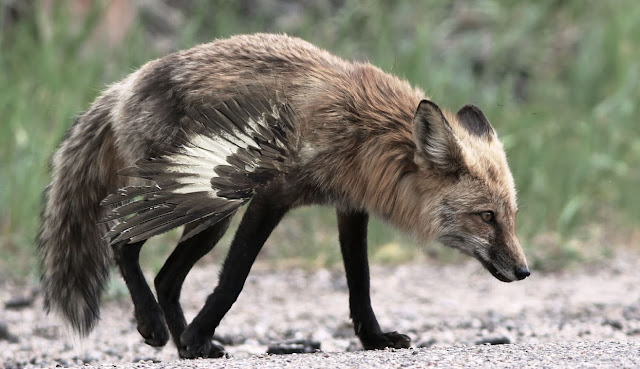
This project, though it may seem similar teaches subtly. The students are told to find two animals that they want to combine together. We also learn about the term chimera, which has origins in greek mythology, and how the term has become used in our language as well as in pop culture.

When the students choose their animals they are  encouraged to choose to animals that could match each others colors and textures. This teaches planning, and originization that is useful in all photoshop endeavors.

Next they place both images in photoshop.

They choose one animal to be the dominant photo, and cut away the background of the other, so it can fit into the other animals picture.

Then using the blending tool, opacity control, and filters, the students work to make the picture look like one new photo.

Note: This assignment does use copyright images, so student are told what rules are involved with using other people photos for transformative purposes, as well as what they can then do with these photos after they are completed. It is important to always establish a baseline with your students, so they know where they stand when they create are working with photo found online.

This assignment is fun and the students reacted very well to the challenge. Below are a few student examples. Please Enjoy!

Sunday, May 14, 2017

Minimalism and cut out


One trend in the digital art world right now is color blocking and minimalism. It is especially prevalent in recognizable nerdy things. Examples:


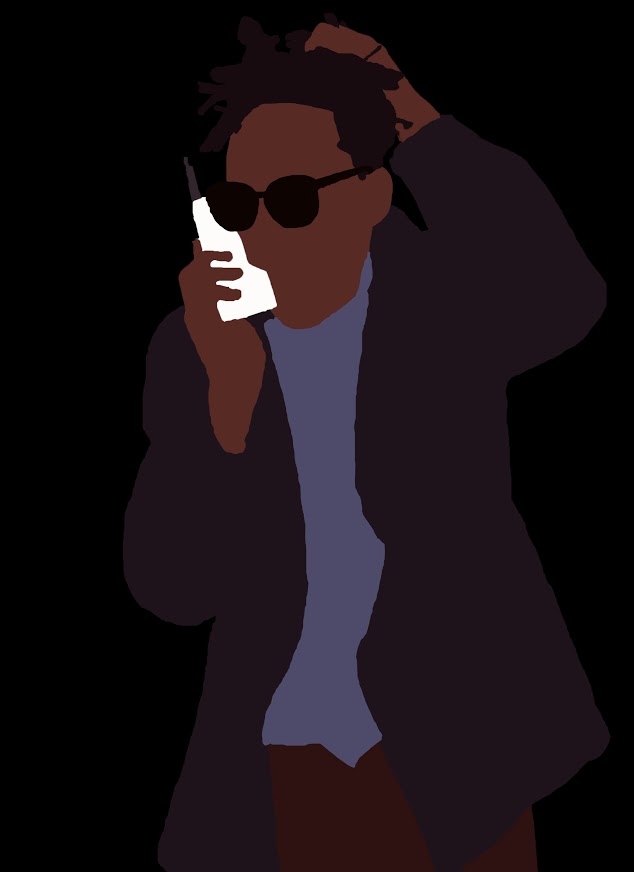
So I decided to turn this into a fun digital art lesson. This is great for teaching coordination with the selection tool. As well as teaching a fun trick. Ultimately it's one of those lessons that just gets awesome results and engages the students. And sometimes you just need one of those.

Here is the tutorial on how to accomplish this assignment.

And here are the student examples of the finished work!