Friday, March 9, 2018

Integrating illustration in 8th grade

My new favorite trend is illustration integration. 

Design is seeing an increase in the demand for genuine illustration and hand drawn elements in their photography. We live in a world of filters, and quick fixes for photos, so seeing real hand drawn elements in design and photography is refreshing and interesting. I have seen a lot of designers doing things with is trend. And I think its important students give it a try as well. 

Examples of professional designs


The assignment:
3 images total 
1- must be an intense edit
1- can be light drawing over the  photo
1- image can be taken off the internet

However if they wanted to do all original photos, with intense editing I would allow that as well. 


Example of a full edit. Student color in shirt, and added a detail. 


Example of a lighter edit: the shirt was just out lined, and instead of coloring in she just brought back the original color in photo. 


The Process in pretty easy. 

Step 1: Place image in photoshop 
Step 2: Edit you photo, so any issues with it are fixed. 
Step 3: Add a new layer
Step 4: Draw your lines around an element of clothing on your new layer
**You can potentially be done at this point. 
Step 5: Add a new layer and drag it under your line layer
Step 6: Color in the item of clothing. 


I hope you enjoy all the student work!

The Glitch Effect in 7th grade

At the end of a big lesson, if we have a bit of time left over, and I don't want to make the student sit through another lesson where they just have to listen to me yammer on about design, I like to do a short one day lesson. 

I call these "Monkey See Monkey Do" lessons. 

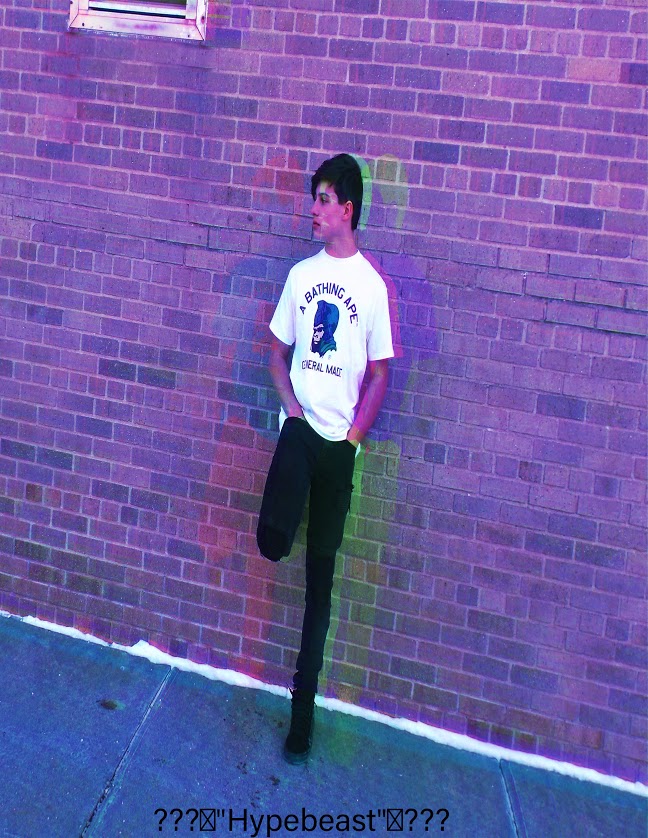
The students just follow along step by step, and at the end of the project, they have a fun picture, and they learned how to do a new effect in photoshop. 

This year I chose a 2018 trend, so they can use it and have it be topical for this years popular imagery. 


Below are the videos I used to kind of piece together a easy version of all three videos.


We also used text to add another piece of interest. 


Monday, March 5, 2018

Second Semester First photo Assignment: Part 2

This Lesson was all to get students a basic understanding of Lightroom. Even though this is second semester a lot of students have never taken my class before, so I use this as a way for everyone to understand Lightroom all together.

The lesson is simple; I send the students out on a few photo gathering days and then they come back with the pictures they have taken.

They have to edit 5 images:
- 1 image done lightly
- 1 done as crazy as Lightroom will let them
- 1 they have to use a tutorial they find from youtube
- 1 they have to have made a preset with.
- 1 is anything they want to do.  


Here are a few examples of student work.